Showing posts with label release. Show all posts

Saturday, February 09, 2008

Tracktimer v3.0.0.65 released

Time for a new version again, this time it is actually more of a bug fix release than a lot of new features...
v3.0.0.64 contained some very stupid changes from me that messed up the file names and the storage directory of the exported files. Check if you have some *.htm files in the Tracktimer directory, if so they are safe to delete. Thanks to Cedric Cornell for telling me about this error!

Bugfixes:
  • HTML file for setup created correctly in Exports directory
  • Changed to TAdvPicture when exporting tracks (possible to export gif again)
  • Doesn't remove backslash from track files during HTML export
  • Tire tag html export gets correct filename

New features:
  • Copies logotype image to Tracktimer directory
  • Added external link to part status items
  • Select from list of suppliers when exporting Part status report
  • Possible to sort part status report on supplier
  • Possible to include price/pcs column in Part status report
  • Number columns aligned to the right in Part status report
  • Progress window visible when exporting Part status
Update is automatic if you just start the current version of Tracktimer on a computer connected to internet. (Demo versions are not updated automatically, only Basic and Pro)

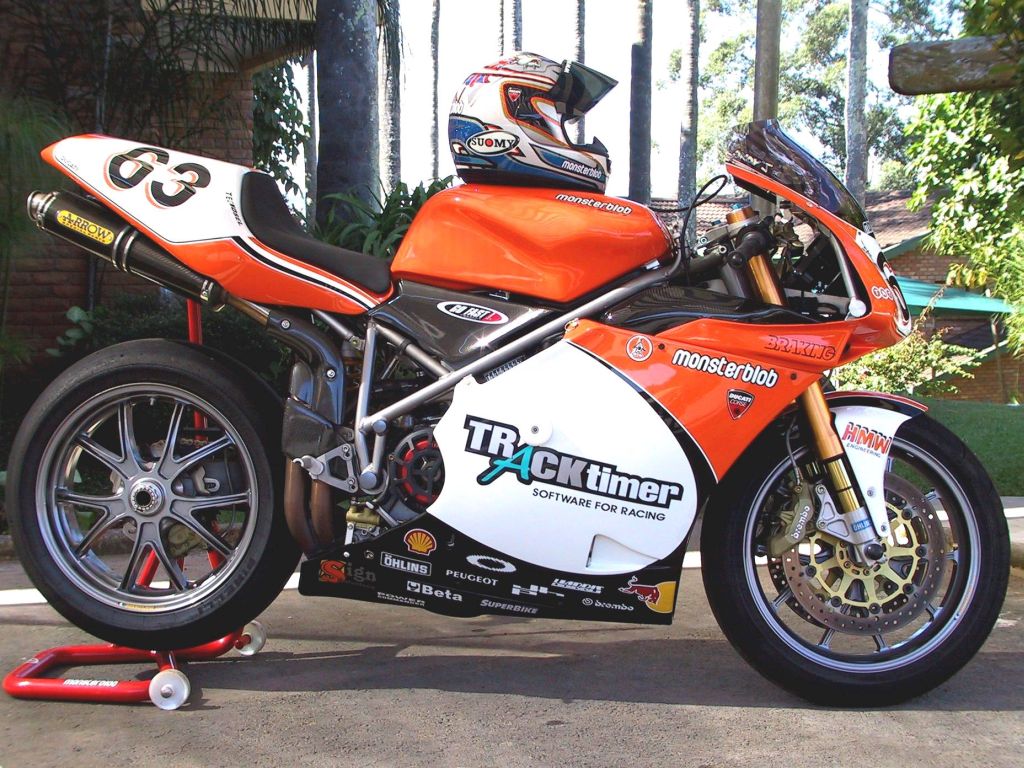
Now that the release is out I can concentrate on my bike! A new crank has to be put in and two sets of fairings have to be painted, when I have a design I like I will post tome pics here!

Wednesday, November 21, 2007

Tracktimer v3.0.0.63 released!

It's time again, a new release of Tracktimer!
This release contains many small changes that will make life easier for many of you. I would like to thank my "power user" George Vukmanovich for lots and lots of valuable input and discussions, the main reason for most of the changes in this release.

To update you just have to start your registered version of Tracktimer on a computer that is connected to the internet. If you have any problems just contact me.

A brand new feature is that you can now print tire tags directly to label paper.
It is now also possible to insert a row when entering lap times manually, just right-click on the grid.

Read on for the full list of changes:

Version 3.0.0.63

2007-11-21

  • Uses TAdvPicture instead of TGifImage
  • Print label dialog handles non-metric units
  • Filters filenames better for illegal tokens
  • Added Spanish, Italian, French and Swedish translations

Version 3.0.0.62

2007-09-30

  • Improved inspection export so parts that needs to be replaced are shown even if they don't need to be inspected
  • Uses 1 decimal for part status exports instead of "lots"
  • Possible to move multiple parts in part status
  • Added Suspension link for rear mc suspension
  • Added event name to Prepare session dialog
  • Tire compound history increased to 10 in tire dialog
  • New time format, added popup menu to insert a row, clears old lap times before import
  • Made session type an MRUcombobox
  • 4 decimals for AD, 2 for RAD
  • Part status handles multiselect for both edit, move and delete
  • Key F5 resorts active part status grid
  • Inspection reports shows items that need to be replaced too even if they don't need to be inspected
  • Selected tire remains selected in tire list even after editing/adding of history or other edits
  • Three decimals for tire mileage
  • New correct formatting of purchase orders (tested on A4 paper)
  • Page numbers in purchase order
  • Double-clicking a filled lap grid opens the edit dialog
  • Changed order of temp, rel humidity and absolute pressure
  • Changed "My position" to "Drivers position"
  • All jetting comboboxes now have a memory of 10 items
  • New time format 1:11.111, also handles 1.11.111 as before
  • Right click timing grid when entering lap times to insert a row
  • Can print tire tags to label paper
  • Added progressbar to splash screen
  • Added distance to each driver
  • Removed optimal lap time
  • Doesn't overwrite new tracktimer.ini after restore
  • Correct handling of final page break in purchase order
  • Purchase order price has 2 decimals
  • Tests if sorting is necessary before sorting
  • Added Needle clip pos to session comparision
  • Label printing now works as intended
  • Tire label dimensions now decimal values
  • Saves font name for tire labels

Thursday, December 07, 2006

Version Francaise

Hello!

Time for a new release of Tracktimer, this time the main feature is that it has been translated to French thanks to Willy Nsiala!
I am also grateful to George Vukmanovich who has given me lots of good feedback, more improvements to come.
There are also numerous other small changes and improvements since 3.0.0.55:


Version 3.0.0.58
2006-11-14

  • Better handling of old versions when reading orderstatus
  • New look for track export
  • Possible to delete source row when moving a part between two stock groups
  • Inspection report sorts on Location by default
  • Order status edit: Only writes received order date if the checkbox has been set
  • Order status edit: Enables the received date checkbox if several parts have the same received date
  • Order status edit: Fixed bug so that the remark edit control is enabled correctly

Version 3.0.0.57
2006-10-25
  • Enhanced purchase order export with page breaks, remark column, new column ordering, possible to hide price and shows phone number
  • Fixed display error for shaft drive
  • Correct update of track details when selecting a new track in New session dialog
  • Possible to upscale track maps to a fit a certain size when exporting tracks
  • Added import from 2D Datarecording data files
  • Parts are identified by location too as well as name and partno
  • Replaced fuel consumption number Litre/100*km with Km/litre
  • Update to Part Status dialog only shows if recieved qty > 0 when editing order items
  • Speeds for each gear and rpm are included in html export
  • Field Location is shown for all part status groups and also possible to sort by when making automatic purchase o rder
  • Fixed strange error message when trying to edit empty lap time grid
  • Added French translation

Version 3.0.0.56
2006-10-08
  • Faster edit of parts, no more unnecessary sorting
  • Shows speeds and rpm in html export
  • One more decimal for speeds and ratios
  • Fixed final gearing visibility problem
  • Location field always visible
  • Possible to sort part status reports on Location

Registered users should get an automatic update if Tracktimer is started on a computer connected to Internet, if not contact me and I will help you to upgrade.

Personally I have invested in a new bike for 2007, I will try to fit my 194 cm on a Honda RS125R racer! It will be very interesting and I will have full use of Tracktimer with this bike, it's a bit more sensitive than my former bike, the Aprilia RS250.

I also visited Valencia for the MotoGP finals where I met engineers from Team Toth Aprilia and Jeremy Burgess himself. Unfortunately the Burgess meeting was a short one on Sunday morning so I didn't have a chance to show him anything but he got a demo CD and we'll see what happens.


And by the way, the mysterious visitor I wrote about in the previous post has presented himself, it was Andy who used www.tracktimer.com as home page! A very good idea by the way! :D